Aggregation hotspot (experimental)
Open Toolbox → Aggregation hotspot to share a running TUN aggregation session through Windows Mobile Hotspot. Phones and tablets join Wi-Fi without an extra client or proxy configuration.
Before starting
- Requires Windows 10/11, a wireless adapter and driver supporting Mobile Hotspot, and a shareable TUN connection.
- System Proxy mode cannot supply this sharing path. Verify that TUN works on the computer first.
- Existing Windows hotspot or other ICS sharing is not taken over automatically. Understand its purpose before stopping it yourself.
- Traffic uses selected upstream networks, including metered cellular data. Do not reconnect the same phone supplying the upstream to this hotspot and create a loop.
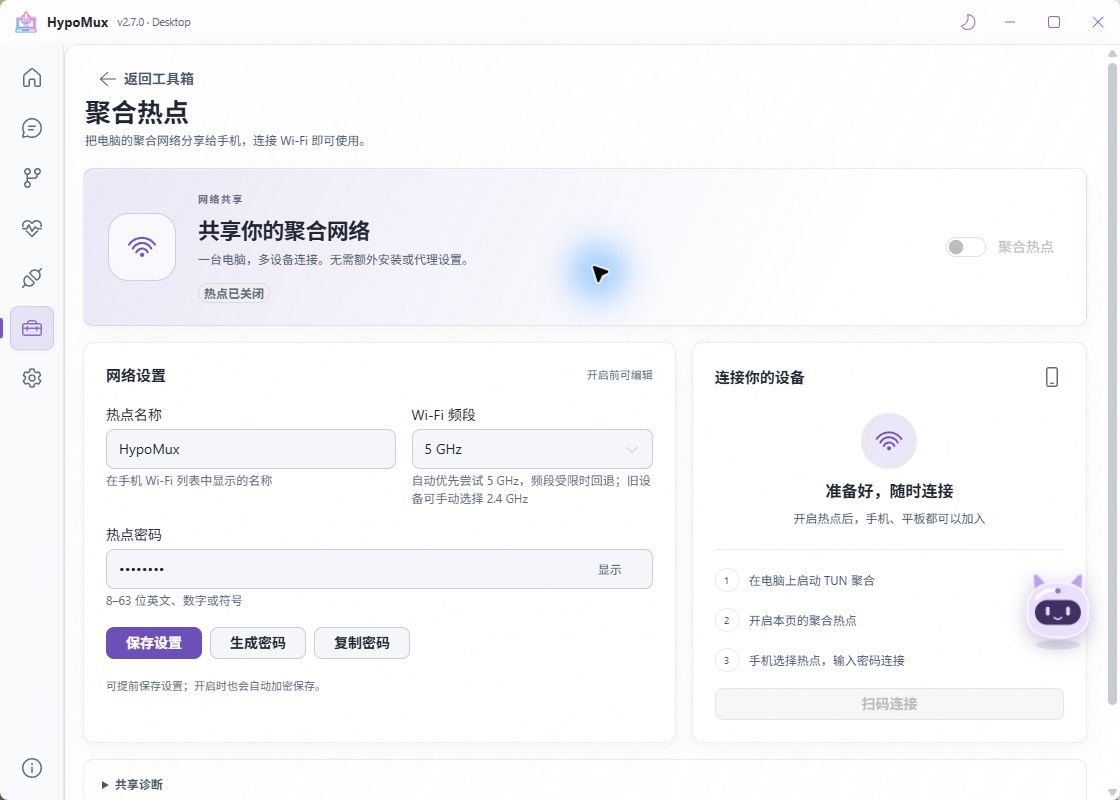
Configure and connect
- You can save the name, password, and band before starting. Use 8–63 ASCII letters, digits, or symbols, or generate a password. Saved credentials are encrypted for the current Windows user.
- Select physical upstream adapters on Home and start TUN mode when interruption is acceptable; starting can change network paths.
- Enable the hotspot and wait without repeatedly toggling. The toolbox shortcut uses saved settings.
- Join from the phone using its name and password, or expand the locally generated QR code while running. Treat that code as a credential.
- Check sharing state and actually browse or download on the phone. Stop the hotspot before editing credentials or band.
The screenshot shows an inactive interface, not a successful phone-connectivity or throughput test.
Choose a band
| Option | Behavior |
|---|---|
| Automatic | Tries 5 GHz when supported; certain band failures may fall back to Windows automatic selection after confirming the hotspot is off |
| 2.4 GHz | An alternative for older clients or 5 GHz incompatibility; interference still matters |
| 5 GHz | Requests that band explicitly; failures are reported without silently changing bands |
Automatic does not identify the actual operating band. Configured band and driver link rate are not measured phone download speed.
Read sharing state
| State | Meaning |
|---|---|
| Start TUN aggregation first | Opening the app or using System Proxy is insufficient |
| Hotspot on, egress not verified | Hotspot and local gateway are ready, but aggregated forwarding has not been confirmed |
| Shared egress verified | Sharing configuration points at TUN; test DNS, connectivity, and speed on the phone |
| Client details unavailable | Sharing may still run; check status and the phone itself |
Expand sharing diagnostics for gateway, interface, band, and sampling information. Redact credentials, QR codes, and client addresses before sharing. Computer totals include its own traffic and are not per-phone measurements.
Stop and recover
Stop the hotspot before TUN. Normal aggregation shutdown closes sharing first. Loss of TUN, an invalid hotspot gateway, or a confirmed wrong egress ends sharing rather than switching to a physical upstream.
Hotspot sharing does not automatically return at boot. After a crash or cleanup failure, follow the prompt to inspect Windows Mobile Hotspot before retrying.
Troubleshooting
- Disabled switch: Verify TUN is running, both desktop and Core are updated, and the wireless driver supports sharing.
- 5 GHz fails: With sharing stopped, try Automatic or 2.4 GHz. A band failure does not necessarily mean Wi-Fi is turned off.
- Wi-Fi connects without internet: Distinguish ready from verified, check the phone's addressing and the computer's TUN connectivity, then collect diagnostics.
- Slower than the computer: Shared wireless airtime, phone capability, and concurrency matter. Compare the same source and workload without competing downloads.
- Phone process rules do not work: Phones do not carry desktop process identities. Domain/IP routing can apply, but PC executable names cannot identify phone apps.
This remains connection-level aggregation, without single-TCP bandwidth bonding or guaranteed uninterrupted games. See aggregation, rule sets, and reporting.